.jpg)


Download S Memo APK – Samsung Notepad, S Memo APK, free note-taking app, voice notes, handwriting, draw on phone, image notes, cross-compatible, idea capture
Overview
S Memo is a lightweight, productivity-focused application designed to help users capture ideas quickly and efficiently. Developed by Samsung Electronics Co., Ltd., the app serves as a digital notepad tailored for on-the-go note-taking. It supports multiple input methods, including text, voice, handwriting, and image integration, making it suitable for a wide range of users—from students managing class notes to professionals recording meeting insights. The app emphasizes speed and simplicity, enabling users to jot down thoughts without unnecessary delays or complex workflows.
As a cross-compatible tool within the Samsung ecosystem, S Memo integrates seamlessly with other Samsung applications, enhancing its utility for users invested in the brand’s software suite. Its ability to handle both written and spoken input, along with freehand drawing, makes it ideal for brainstorming sessions, sketching quick diagrams, or adding visual context to written ideas. The developer did not provide additional system requirements, but the app’s 10.5 MB size suggests it is optimized for minimal resource usage.
Key Features & Capabilities
- Text and Voice Notes: Users can type notes using a standard keyboard or record voice memos directly within the app, allowing for flexible input based on preference and context.
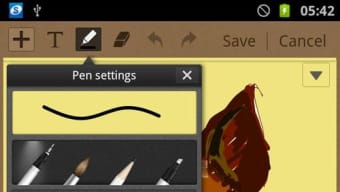
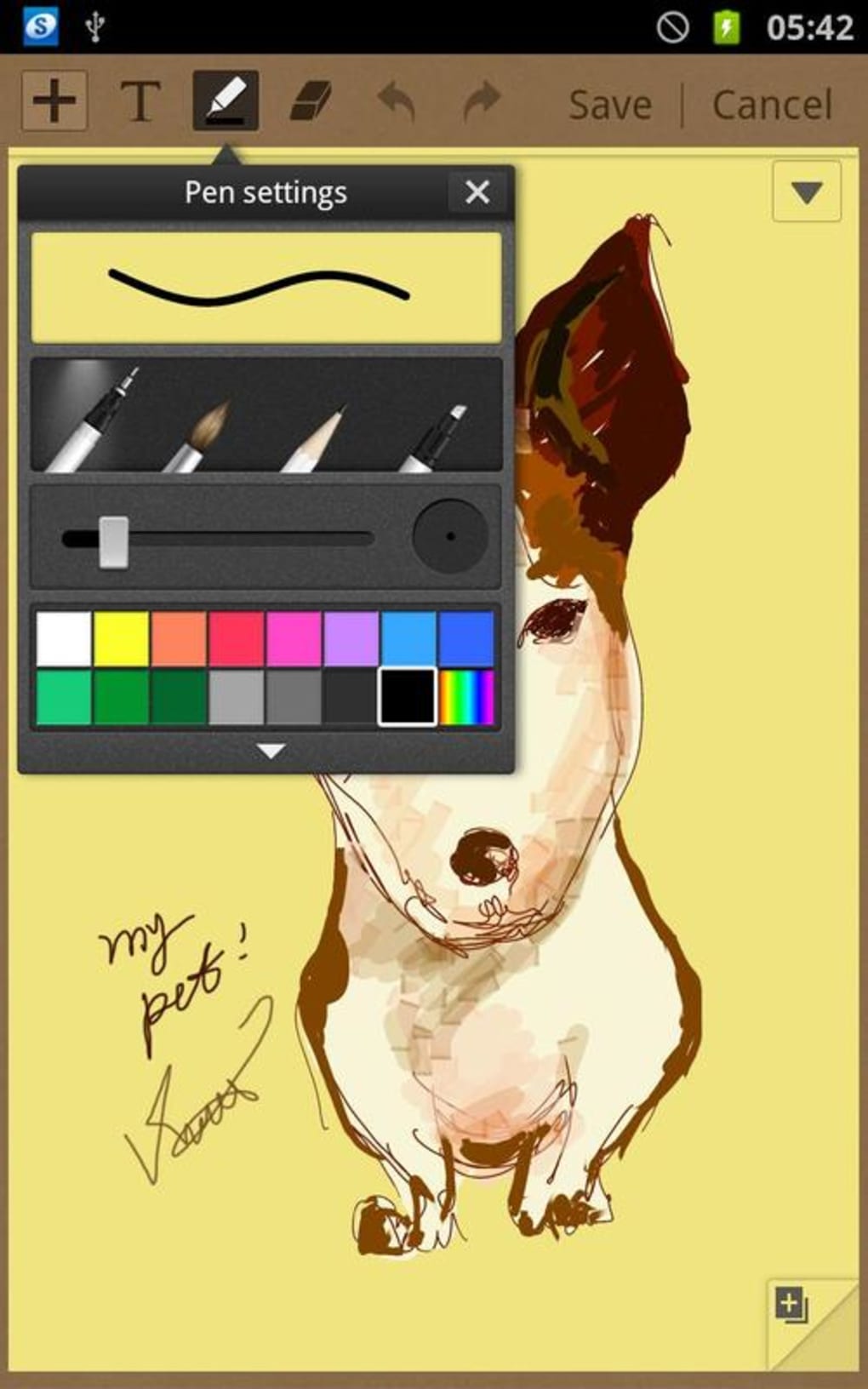
- Handwriting and Freehand Drawing: The app supports handwritten input without requiring a Samsung S Pen, making it accessible to users with standard Android devices.
- Image Integration: Users can insert images into their notes, adding visual context or reference material to support written or spoken content.
- Cross-Platform Compatibility: S Memo is designed to work with other Samsung applications, enabling smooth data sharing and workflow continuity across devices.
- Quick Idea Capture: The interface is optimized for rapid input, allowing users to record thoughts in seconds without navigating through multiple menus.
These features make S Memo particularly effective for students who need to take fast notes during lectures, professionals preparing for meetings, or anyone who values a clutter-free digital journal. The ability to combine text, audio, drawings, and images in a single note enhances content richness and improves recall. The app’s design prioritizes intuitive use, minimizing the learning curve for new users.
User Interface, Workflow & Performance
The user interface of S Memo is clean and minimal, focusing on functionality without visual distractions. Navigation is straightforward, with primary actions—such as creating a new note, switching between input modes, and inserting media—easily accessible from the main screen. The workflow is optimized for speed, allowing users to begin writing, speaking, or drawing immediately after launching the app.
Performance details were not specified by the developer. However, the app’s small file size of 10.5 MB suggests it is designed to operate efficiently on a range of Android devices. The developer did not provide information on CPU or RAM usage, so actual performance may vary depending on device hardware and background processes. Stability and responsiveness are expected to be consistent with typical Android applications of similar scope, especially on devices running recent versions of the operating system.
Compatibility & System Requirements
S Memo is designed for Android devices and is available as an APK file for direct installation. The app’s version is listed as 1.0.0, and it requires a minimum Android operating system, though the exact version was not specified. Installation size is 10.5 MB, indicating it is lightweight and suitable for devices with limited storage space.
Exact system requirements were not listed. Compatibility information is limited to the Android platform. Users should ensure their device supports APK installation and has sufficient permissions enabled. The developer did not specify whether the app is compatible with tablets, foldable devices, or older Android versions. For optimal performance, it is recommended to use the app on devices with up-to-date system software.
Pros and Cons
Pros
- Free to download and use with no in-app purchases
- Supports multiple input types: text, voice, handwriting, and images
- Lightweight at only 10.5 MB in size
- Designed for fast idea capture and minimal friction
- Cross-compatible with other Samsung applications
Cons
- Limited information on system requirements and compatibility
- No official mention of cloud sync or backup features
- May lack advanced organization tools like folders or tags
- Not available on platforms outside Android
- Dependent on Samsung ecosystem for full functionality
FAQ Section
Is S Memo available for iOS devices?
S Memo is currently only available for Android devices. There is no official iOS version as of the release date.
Can I use S Memo without a Samsung S Pen?
Yes, the app supports handwriting and freehand drawing without requiring a Samsung S Pen, making it accessible to users with standard Android smartphones.
Is S Memo secure for storing personal notes?
While the app does not provide specific security details, it is developed by Samsung Electronics Co., Ltd., a reputable company known for privacy-conscious practices. Users should ensure their device has appropriate security settings enabled.
How often are updates released for S Memo?
The developer did not specify an update schedule. Users should check for updates through the official Samsung app store or APK source.
Can I export or share my notes from S Memo?
Export and sharing functionality were not detailed in the provided information. However, the app’s image and text integration capabilities suggest basic sharing options may be available through standard Android methods.
Final Thoughts
S Memo offers a streamlined, no-frills solution for capturing ideas on Android devices. Its combination of text, voice, handwriting, and image support makes it a versatile tool for students, professionals, and casual users alike. While it lacks some advanced features like cloud sync and robust organization tools, its lightweight design and quick access to note-taking functions make it a strong choice for those seeking a simple, reliable app.
Developed by Samsung Electronics Co., Ltd., the app aligns with the brand’s focus on usability and integration within its ecosystem. Despite limited information on compatibility and performance, its free pricing and minimal size enhance its accessibility. For users who value speed and simplicity in their note-taking workflow, S Memo delivers a practical experience.
Download S Memo now





.png)

